
Everyone that uses Merchi will have a User Profile. If you have signed up to Merchi as a Supplier or as a Seller, a User Profile will automatically be created for you.
To create a new User or Team Member, follow the below steps:
- Navigate to the left hand menu
- Under Domain select your Domain name
- Select the Users tab
- Click on the + button on the right hand side

- Complete the required fields
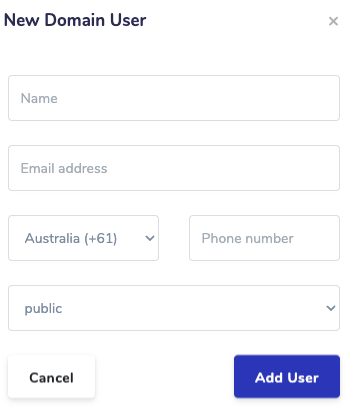
- Click Add User
- This creates a new user under your Domain
- The user will be sent an email with a link to their account
If you wish to invite a third party user or someone outside of your organisation to be a user in your Merchi account with a specific role, follow the below steps:
- Navigate to the left hand menu
- Under Domain select your Domain name
- Select the Invitations tab

- Click the + Button and complete the required fields for the new User
- Select the User Role type
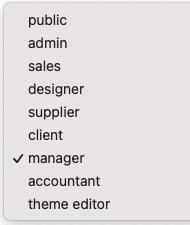
- Click Invite User
- The invited Team Member will receive an email and once they accept the invitation you will see the user appear under the User tab in Domain and under Members on your Company profile page.
Click here to see information about User role types.
Comments
0 comments
Please sign in to leave a comment.