
The Merchi Dashboard is your hub for all of your operations. It gives a snapshot of your activities with all jobs and orders, from all of your websites and other sources organised in an intuitive dashboard.
Keep on top of your work at a glance. Track job progress, payment status, delivery fulfilment and inventory levels.
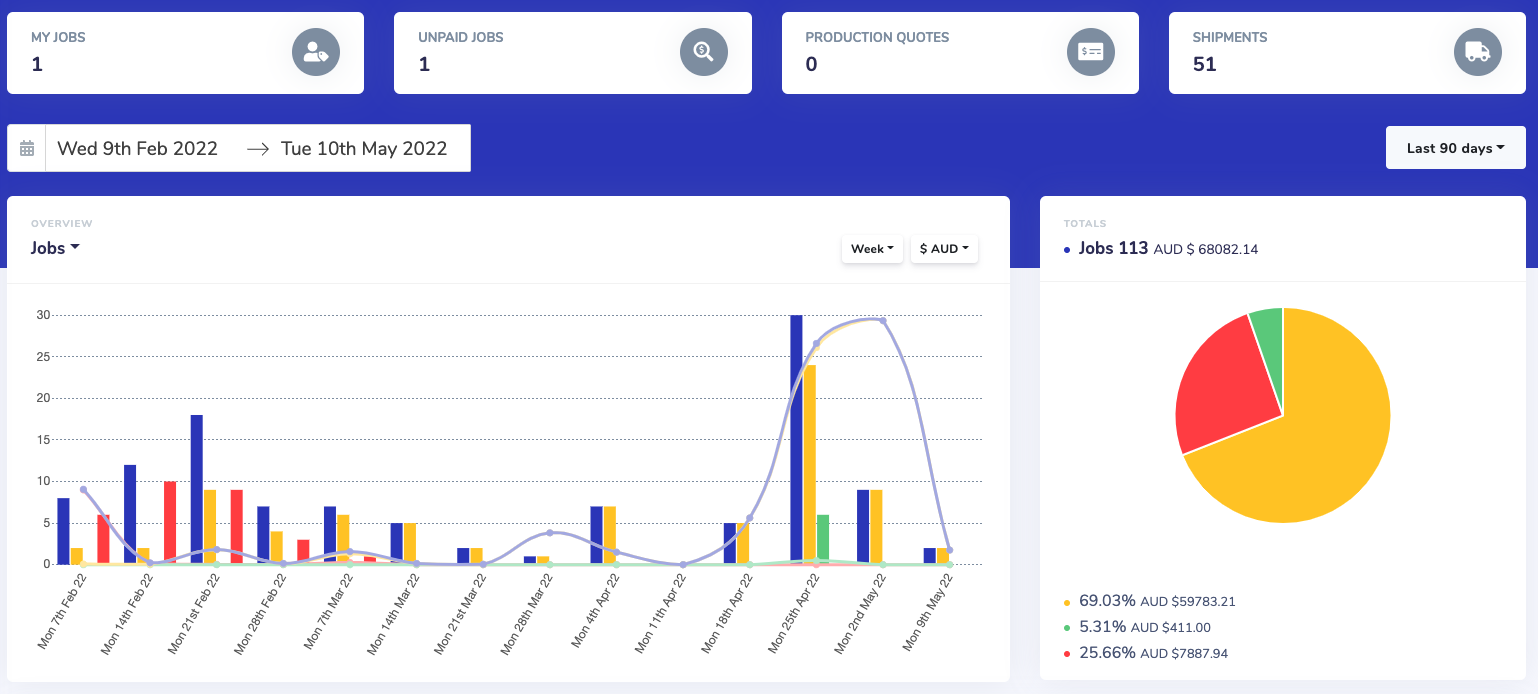
Here is an overview of the Dashboard:
The Dashboard will display all of the data of the Domains that you are a member of. You can filter the Domains by searching in the Search Domains box located in the top left hand corner.

Quick Links:
For easy access to your responsible Jobs, you can select any of the below:
- My Jobs
- Unpaid Jobs
- Production Quotes
- All Domain Shipments

Main View:
- By default this will show the most recent 30 days. You can customise your view by updating the date range
- Select from a date range or customise to suit
- With the Overview graph you can toggle between Jobs & Invoices; Day, Week, Month, Year and Currencies
Job Table:
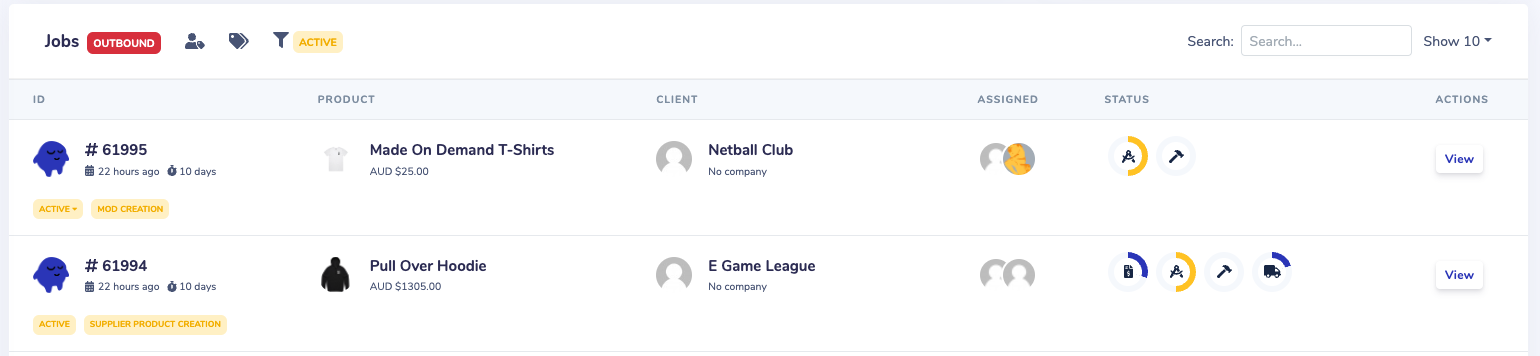
- Track Jobs at a glance and manage production with your team
- Filter via Users, Tags, Active, Complete or Archived Jobs or use the Search field. To show more Jobs expand the table using the Show more dropdown located on the right hand side
- You can view the Job by clicking on the Job number or the View button to the right
- See the status of the Job via the icons - when it is Green the status is complete
Comments
0 comments
Please sign in to leave a comment.