
To get started in Merchi you will need to have the below information and resources:
COMPANY
Company Information
- Company Logo
- ABN
- Team Members / Users
- User’s name, email, address and phone number
Payment Options (how you will get paid)
- Stripe key details - all Suppliers must input their Stripe keys if they are already with Stripe, if not you can sign up to Stripe via the link in Merchi
Shipment Options
- A default carrier option and shipping costs including any weight breaks or volumetric discounts for products
Merchi Billing
- Credit Card details need to be entered to activate your subscription plan and enable you to use all Merchi features
Click here to learn how to complete your Company Profile
DOMAIN
Domain Information
- Your Store Logo
- Domain Users details
- User’s name, email address and their User Role type
Click here to learn how to complete your Domain Profile
PRODUCTS
Product Information
- Product Type
- Supplier MOD
- Supplier
- Seller
- Product name
- Description
- Base cost ex GST
- Shipping information including weight breaks or volumetric discount information
- Feature Product image + any accompanying images
- Production Routing (Internal user or external chain)
Click here to learn more about products in Merchi.
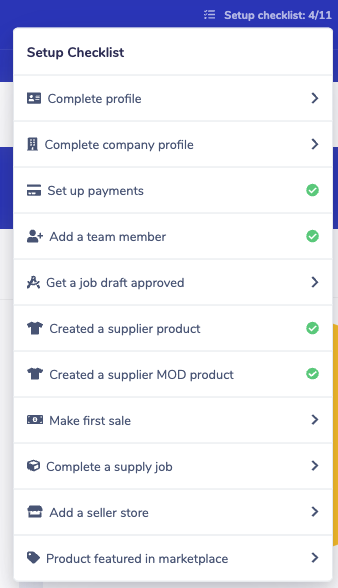
Note: To get the most value out of Merchi, please complete the tasks in the Setup Checklist. You can find this in the top navigation of the Merchi Dashboard. This will help you set up your account and introduce you to the features Merchi has to offer.
Comments
0 comments
Please sign in to leave a comment.