
For a third party supplier to issue an invoice from Merchi they need to register a Domain / Store with Merchi. Click here for information on how to set up your Domain.
Alternatively, quotes can be accepted without an invoice.
If another supplier requests a quote from you, you will need to first send back that quote. Click here to find out how to quote on a job.
Once the quote has been approved:
- You will now see an Add to Invoice button on the right hand side
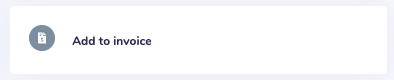
- Click and the Invoice modal will open
- All of the job's information will be pulled into the invoice. Review and make any adjustments including adding any further line items
- Select the email icon at the bottom to email the quote and then click Create and the Invoice has now been created
Note: In order to accept payment directly from an invoice, a payment method must be set up within your Company Profile. Click here to see instructions on how to set up Company Payment Methods.
Comments
0 comments
Please sign in to leave a comment.